
In This Article
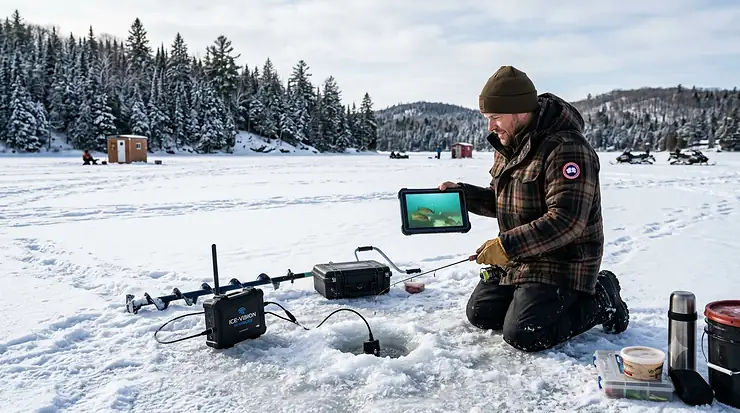
There’s a particular kind of silence that settles over a frozen lake at 6 a.m., broken only by the scrape of an auger and the occasional crack echoing across the ice. You drill your hole, drop your jig, and then… you wait. And guess. For decades, that guesswork was the whole game. Not anymore. A wireless ice fishing camera turns that black hole in the ice into a window, letting you watch exactly how a walleye approaches your bait before you ever feel a bite on the line.
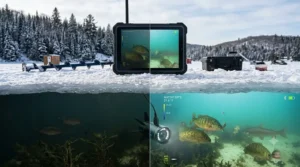
A wireless ice fishing camera is a waterproof, battery-powered underwater camera that sends live video to a screen, monitor, or smartphone without requiring you to run power cords across the ice. Most use infrared lighting to avoid spooking fish, and many now pair with a dedicated app over WiFi or Bluetooth instead of relying solely on a wired display.
Based on spec comparisons and aggregated review data, the gap between a budget model and a flagship unit has narrowed considerably for the 2025-2026 hardwater season. That’s good news for anyone shopping on amazon.ca, but it also makes the decision harder, not easier — more options means more places to get it wrong. This guide breaks down seven real, currently available cameras, explains what the specs actually mean once you’re standing on a frozen lake in February, and walks through the practical side: setup, common mistakes, and how Canadian ice safety rules and wireless regulations factor into your purchase. For background on the activity itself and its roots in northern communities, ice fishing involves catching fish through an opening cut into a frozen body of water, a practice with deep roots in Arctic and Canadian Indigenous traditions long before it became recreational — you can read more on Wikipedia’s overview of ice fishing.
Quick Comparison Table
| Camera | Connection Type | Screen | Cable / Range | Best For |
|---|---|---|---|---|
| GoFish Cam | WiFi to app | Smartphone only | No cable (in-line on rod) | Mobile-first anglers |
| Eyoyo EF07 7-Inch | Cordless monitor | 7″ TFT LCD | 49-98 ft | Budget hole-hoppers |
| FishPRO HD1080P MF | Cordless monitor | 7″ IPS | 82 ft magnetic | Detail-focused scouting |
| Eyoyo 9-Inch DVR | Cordless monitor | 9″ LCD | 98 ft | Anglers who want recordings |
| Vexilar FS800IR | Cordless monitor | 7″ 420-line | 90 ft | Extreme cold reliability |
| Aqua-Vu HD7i-125 | Cordless monitor | 7″ heated IPX67 | 125 ft | Serious, frequent anglers |
| CanFish CamX | WiFi/app + ROV | Smartphone | 656 ft rated | Wide-angle structure scouting |
The table above makes one thing obvious fast: “wireless” means different things depending on the camera. Cordless monitor systems like the Eyoyo and Vexilar units still use a physical cable between the camera head and the screen, but the screen itself runs on battery power with no mains cord — that’s where the “cordless” and “wireless” marketing applies. True app-based systems like GoFish Cam and CanFish CamX skip the cable entirely and stream or sync footage to your phone over WiFi. Neither approach is objectively better; it comes down to whether you want a dedicated big screen on the ice or you’re happy reviewing footage on the device already in your pocket.
💬 Just one click — help others make better buying decisions too! 😊
💬 Already narrowing it down? Compare current prices and availability on amazon.ca before the season’s best stock sells out.
Top 7 Wireless Ice Fishing Cameras: Expert Analysis
Coverage below spans budget, mid-range, and premium tiers, plus a couple of lesser-known options worth a look if the big names are sold out locally.
1. GoFish Cam — true Wi-Fi app streaming, no monitor needed
The standout here is simple: there’s no screen to carry at all. GoFish Cam clips in-line on your leader, and footage routes wirelessly to a free iOS/Android app. The camera itself is compact — about 11.5 cm long and pre-weighted to roughly 94 grams, so you don’t need to add split shot to get it to sink properly. It records true HD video and syncs to your phone over its own WiFi signal once you’re back at the hole, with built-in LED lighting for low-visibility water under the ice.
Here’s what the spec sheet won’t tell you outright: because the unit relies on a self-generated WiFi hotspot rather than your cellular network, it works fine in the most remote, signal-dead lakes in northern Ontario or the Prairies — a real advantage for ice anglers who chase walleye well outside cell coverage. This makes it a strong pick for anyone who already fishes with a phone in hand and doesn’t want another device to charge and pack. Reviewers consistently note that the companion app is easy for non-technical users to navigate, though aggregated feedback also flags occasional lag or choppiness in the wireless feed, particularly at the outer edge of its WiFi range. A smaller number of reviewers report the unit performing best when used to capture short clips rather than continuous long-form monitoring through a single hole.
✅ No monitor to pack — works straight off your phone
✅ Compact, pre-weighted body needs no extra split shot
✅ Companion app is simple enough for first-time users
❌ Wireless feed can lag near the edge of its WiFi range
❌ Smaller battery life than full monitor-based systems
GoFish Cam typically sits in the budget-to-mid range, around C$150-220 depending on bundle. For anglers who already fish with their phone in hand, the value case is strong: you’re not paying for a screen you’ll rarely use outdoors in bright glare.
2. Eyoyo EF07 7-Inch — best budget cordless monitor combo
The standout feature is value: a full 7-inch colour TFT screen, twelve infrared lights, and an aluminum-alloy waterproof housing for well under the price of most premium units. The display includes a removable sun visor, which matters more than it sounds — glare off snow and ice is one of the most common complaints across budget camera reviews, and a visor genuinely fixes it.
Specs that matter in practice: 1000TVL resolution sounds dated next to “1080p” branding elsewhere, but at typical ice-hole viewing distances of a few feet, the difference is far less noticeable than marketing suggests. The 12 infrared LEDs auto-switch the picture to black-and-white in low light, which helps identify species and estimate size without spooking wary fish with a bright white light. Based on the spec comparison with pricier rivals, the EF07’s main trade-off is battery capacity — the upgraded 4500mAh battery is rated for roughly six to eight hours, solid for a single outing but tight for an overnight ice-fishing trip without a backup. This camera is built for budget-conscious anglers and beginners who want to try underwater viewing without committing premium dollars to a first unit.
Aggregated reviewer sentiment is largely positive on durability in cold weather, with several owners specifically praising the carrying case and cable management for hole-hopping. A recurring critique is that the lack of any app or smartphone option feels old-fashioned next to WiFi-based competitors, even though the picture quality itself holds up well.
✅ Sun visor solves the glare problem most budget units ignore
✅ Twelve IR lights give usable low-light visibility
✅ Genuinely portable aluminum case for hole-hopping
❌ No smartphone or app connectivity option
❌ Battery life trails behind larger-capacity premium models
Expect a price in the C$130-200 range, making this one of the most accessible cordless monitor systems on amazon.ca.
3. FishPRO HD1080P MF 2026 Upgrade — sharpest screen with adjustable focus
What sets this one apart on paper is the adjustable focal length, ranging from roughly 2 to 40 inches, which keeps close-up jig presentations sharp instead of blurry — a problem that has historically plagued fixed-focus underwater cameras. Paired with a genuine 1080p sensor on a 7-inch IPS display, this is one of the clearer pictures in this price bracket.
The 10,000mAh battery is rated for up to 20 hours of continuous use, which on paper means multi-day trips without a recharge, and field testers cited in industry roundups have flagged that runtime as a standout advantage for all-day sessions. The 82-foot magnetic-spool cable uses an aramid-reinforced core rated to handle roughly 88 lb of pull force, so it tolerates rough handling on the ice without fraying at the connector — a known failure point on cheaper cables. USB-C charging is a small but genuinely useful detail; you can top up from a power bank in the truck between holes rather than waiting for a full recharge at home.
Honest analytical take: the adjustable focus is the kind of feature that usually only shows up on units costing C$150 or more above this one, which is what makes this model worth the look for anglers who scout structure as much as they watch for fish. Reviewers note the dual IR/LED lighting toggle is intuitive, though some mention the bundled 32GB card fills up quickly if loop recording is left running for full days.
✅ Adjustable focus keeps close-range jig views sharp
✅ Up to 20-hour battery life rated for multi-day trips
✅ Aramid-reinforced cable resists fraying and snags
❌ Bundled memory card fills fast with loop recording on
❌ No native smartphone app, despite the “MF” branding
Pricing typically lands in the C$220-320 range, positioning it as a strong mid-tier pick for anglers who want premium clarity without premium cost.
4. Eyoyo 9-Inch DVR Monitor — largest screen with built-in recording
The standout feature is screen real estate: a 9-inch display is noticeably easier to read at a glance through gloves and squinting in bright winter sun than the 7-inch units most competitors offer. Built-in DVR functionality records directly to an SD card without needing a phone or separate recorder, which matters for anglers who want footage to study technique or share later without extra hardware.
In practice, the larger screen comes at the cost of portability — this is a two-handed carry, not a slip-in-pocket unit, and the case is noticeably bulkier in a sled or pack. The 30-metre (98 ft) cable and twelve infrared lights match the spec sheet of Eyoyo’s smaller EF07 model, so depth performance and low-light clarity are comparable; you’re really paying the premium for screen size and recording, not optical quality. This is a sound pick for anglers who fish from a fixed shanty rather than hole-hopping across the lake, where the extra bulk is a non-issue.
Aggregated customer-review sentiment highlights the larger screen as the most-praised feature, with several reviewers specifically mentioning it helps when fishing with kids who want to watch alongside the angler. A consistent complaint involves the DVR’s menu system, which some users describe as less intuitive than expected for a record-and-playback function.
✅ 9-inch screen is easiest to read of any model here
✅ Built-in DVR records without needing a phone
✅ Twelve IR lights match pricier competitors’ low-light output
❌ Bulkier housing, less ideal for frequent hole-hopping
❌ DVR menu navigation isn’t as intuitive as expected
This model typically sits in the C$220-300 range, making it a reasonable upgrade path from a 7-inch budget unit for anglers who fish from a stationary shanty.
5. Vexilar FS800IR Fish Scout — most rugged in deep cold
Vexilar built its reputation on ice-fishing flashers, and that hardwater-specific engineering shows here. The standout feature is cold-weather reliability: the manufacturer rates the system to function down to -22°F (-30°C), a spec most generalist underwater cameras don’t even attempt to claim, let alone substantiate.
The 7-inch screen runs at 420-line resolution, lower on paper than the 1080p units on this list, but the energy-efficient display is rated for roughly nine hours on a single charge from its 12-volt, 9Ah battery — genuinely competitive runtime, especially given Vexilar’s reputation for accurate battery ratings versus inflated marketing numbers seen elsewhere in the category. The 90-foot cable and rigid carriage system mean less fumbling with loose components in numb fingers, an underrated convenience factor on a cold morning.
Based on the spec comparison, the trade-off is image sharpness — this isn’t the camera for anglers chasing crisp 1080p detail. What most buyers overlook about this model is that Vexilar’s specialty is durability and consistency in the conditions that actually break cheaper cameras: extreme cold, repeated freeze-thaw handling, and rough transport. Reviewers who already own Vexilar flashers consistently mention pairing this camera as a natural extension of gear they already trust, while newer buyers occasionally comment that the lower resolution feels dated next to 1080p competitors at a similar price.
✅ Rated to function reliably down to -22°F (-30°C)
✅ Rigid carriage design minimizes fumbling with cold hands
✅ Nine-hour battery life backed by a trusted ice-gear brand
❌ 420-line resolution lags behind 1080p competitors
❌ Premium pricing for what’s a fairly basic screen
Expect to pay in the C$350-450 range, justified primarily by brand reliability and cold-weather engineering rather than image quality.
6. Aqua-Vu HD7i-125 GEN2 — premium clarity with heated display
As one of the original underwater camera brands — Aqua-Vu’s first system dates back to 1975 — this GEN2 model represents the high end of what’s currently available. The standout feature is the heated LCD, which prevents the screen from fogging or stiffening in sub-zero temperatures, a problem that quietly degrades the usability of cheaper monitors after an hour or two outdoors.
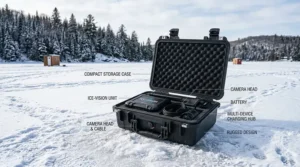
The display carries an IPX67 waterproof rating, and the camera itself uses infrared illumination designed to light the depths without triggering the kind of spooked reactions a bright white LED can cause in clear water. The 125-foot cable is the longest on this list, useful for anglers fishing deeper basin water rather than shallow weed flats. The whole kit, including battery, cable, camera, and display, is designed to fit into a single carrying case, light enough to manage one-handed while still holding an auger or rod in the other.
Honest take: this is the camera for anglers who are out on the ice multiple times a week through a full season, where the heated display and IPX67 rating pay for themselves in fewer cold-related screen issues over a winter. Reviewers consistently cite image clarity and the RAM mount compatibility as standout strengths, while the most common critique in aggregated feedback is simply price — this isn’t a casual buy.
✅ Heated LCD prevents fogging and stiffening in deep cold
✅ IPX67-rated display built for genuinely wet, harsh conditions
✅ 125-foot cable reaches deeper basin water than rivals
❌ Premium price point, hard to justify for occasional anglers
❌ No companion smartphone app despite the premium cost
This model commands a premium price, typically in the C$500-700 range, positioning it for serious, frequent ice anglers rather than once-a-season hobbyists.
7. CanFish CamX — widest-angle lens for scouting structure
The standout feature is field of view: a 136-degree ultra-wide lens captures far more of the underwater scene in a single frame than the narrower lenses on most competitors, which matters when you’re trying to read bottom structure rather than just watch a single jig. True HD 1080p resolution holds up well against pricier rivals, and the camera is rated as a ROV-style unit, built to handle depths and pressures well beyond what a typical ice hole requires.
What stands out beyond the spec sheet is app compatibility paired with wireless charging — a combination not yet common in this category. Motion-sensing and segmented intelligent recording mean the unit can save battery and storage by only actively recording when something moves into frame, a genuinely useful trick for long stationary sessions watching a single hole. This is a strong pick for anglers who want app-based convenience without paying Aqua-Vu-level prices, and it’s a worthwhile lesser-known alternative if the bigger brand names are sold out.
Aggregated review sentiment is more limited for this newer entrant compared to established brands like Eyoyo or Aqua-Vu, so it’s worth treating early feedback as directionally useful rather than exhaustive. The reviews that do exist praise the wide-angle view and ease of app pairing, with occasional notes about rotation speed feeling slow during rapid direction changes.
✅ 136° ultra-wide lens shows far more of the underwater scene
✅ Motion-sensing recording conserves battery and storage
✅ App-based with wireless charging, a rare combination
❌ Smaller review pool than long-established competitors
❌ Rotation/direction adjustments feel slow in fast-changing conditions
Pricing typically lands in the C$180-260 range, making it a genuinely interesting mid-tier alternative for anglers comfortable buying outside the best-known brand names.
WiFi Underwater Camera Ice Fishing: How It Differs From Cabled Systems
A wifi underwater camera ice fishing setup and a traditional cabled monitor system solve the same problem in fundamentally different ways, and the difference matters more than most listings explain.
| Factor | WiFi/App System | Cabled Monitor System |
|---|---|---|
| Setup time | Faster — pair once, fish | Slower — assemble cable, carriage, monitor |
| Screen visibility in sun | Limited by phone brightness | Often better with dedicated sun visor |
| Works without cell signal | Yes, via self-hosted WiFi | Yes, fully self-contained |
| Battery drain | Shares phone battery | Separate dedicated battery |
| Best depth performance | Generally shallower-rated | Generally rated deeper |
The WiFi approach wins on convenience and packing weight — there’s genuinely less gear to carry onto the ice. But cabled monitor systems still win on raw depth performance and screen visibility, since a dedicated 7-inch or 9-inch display with a sun visor is built specifically for outdoor glare in a way most phone screens aren’t. If you fish primarily shallow water near shore, a WiFi system’s range limitations rarely matter. If you’re dropping a camera into 40+ feet of basin water chasing lake trout, a cabled system’s dedicated power and longer-rated cable tend to perform more predictably.
It’s worth noting that any WiFi or Bluetooth-enabled camera sold for use in Canada needs to operate within approved frequency bands. Most consumer WiFi and Bluetooth devices fall under Innovation, Science and Economic Development Canada’s licence-exempt radio equipment rules, meaning they can be used without a separate licence provided the equipment has been tested and certified to the relevant technical standards. In practice, this means sticking to recognized brands sold through verified amazon.ca listings rather than unbranded imports of uncertain origin.
🔍 See current availability for both WiFi and cabled models in one place — compare specs side-by-side on amazon.ca before you decide.
Smartphone Ice Fishing Camera Options: Going Screen-Free
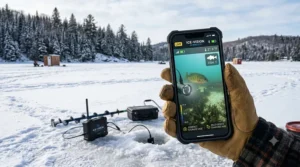
A smartphone ice fishing camera setup appeals to a specific kind of angler: the one who’s already glued to their phone for weather, ice-thickness chatter in local Facebook groups, and GPS waypoints anyway. Adding a camera that streams to the same device, rather than a separate monitor, means one less battery to manage and one less piece of gear in the sled.
The trade-off is screen visibility. Phone screens, even at max brightness, struggle against direct winter sun reflecting off snow and ice — a problem dedicated fishing monitors solve with built-in sun visors and anti-glare coatings. Reviewers across multiple smartphone-paired cameras consistently flag glare as the most common complaint, more so than video quality itself. A practical fix many anglers use is a simple phone sun shade or positioning the phone inside a shanty or under a jacket hood, the kind of low-tech workaround that doesn’t show up in any spec sheet.
For beginners, a smartphone-paired camera lowers the entry cost and learning curve since there’s no separate monitor interface to learn. For anglers fishing in extreme cold for hours at a stretch, the downside is that smartphone batteries — and touchscreens generally — perform worse below freezing than dedicated, insulated camera monitors built specifically for that environment.
Cordless Ice Camera Setups: Battery Life and Cold-Weather Performance
A cordless ice camera, in the context this category actually uses the term, refers to a self-contained monitor-and-camera unit that runs entirely on battery power with no cord back to a wall outlet or vehicle — distinct from “wireless,” which more often refers to the WiFi or Bluetooth link between camera head and screen.
Battery performance is where cold weather punishes gear hardest. Lithium batteries lose a meaningful percentage of their rated capacity in sub-zero conditions, which is why the gap between a manufacturer’s advertised runtime and real-world ice performance tends to widen the colder it gets. Based on the spec comparison across the seven models above, units with larger battery capacities — the FishPRO’s 10,000mAh and the Eyoyo 9-inch’s similarly sized cell — tend to hold a usable charge longer through a full day on the ice than smaller-capacity budget units, even though both are rated in similar headline hours.
A simple, low-cost habit extends real-world runtime meaningfully: keep the battery and monitor inside a jacket or insulated pouch between uses rather than leaving it exposed on the ice surface, and start the day with a full charge rather than topping off a partial one, since lithium cells perform more predictably from a full state in the cold.
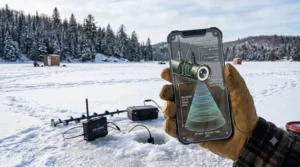
App Controlled Ice Camera: Common Mistakes Buyers Make
An app controlled ice camera promises convenience, but a few recurring mistakes show up across aggregated buyer feedback for this category.
- Assuming “app compatible” means live streaming. Several models, including some reviewed above, sync footage after the fact rather than streaming in real time — read the listing carefully rather than assuming based on the word “app.”
- Skipping a test pair at home. Pairing a camera to a phone for the first time on the ice, with cold hands and spotty patience, is a common source of frustration that a five-minute test run at home avoids entirely.
- Underestimating phone battery drain. Running an app, GPS, and screen brightness simultaneously in the cold drains a phone fast — bring a portable power bank if your camera relies on your phone.
- Buying based on resolution alone. A 1080p spec means little if the lens has a narrow field of view or weak low-light performance; aggregated reviews consistently rate real-world clarity as more dependent on lighting and lens angle than raw resolution numbers.
- Ignoring storage requirements. App-paired cameras that record locally to the device need adequate free phone storage; running out mid-session is a frequently reported annoyance.
None of these mistakes are expensive to avoid, but they’re the difference between a smooth first outing and a frustrating one spent troubleshooting in the cold.
Bluetooth Ice Camera Range and Connectivity: What to Expect
A Bluetooth ice camera typically transmits over a shorter effective range than WiFi-based systems — usually somewhere in the 10 to 30 metre range under ideal conditions, though ice, snow cover, and even a shanty’s metal frame can reduce that further in practice. WiFi-based cameras generally claim longer effective ranges, but real-world performance for both technologies tends to fall short of marketing numbers once you account for the camera being several feet underwater, since water and ice both attenuate radio signals more than open air.
What this means in practice: expect your actual usable range to be noticeably shorter than the cable length the camera is rated for, particularly with wireless connectivity layered on top. Anglers fishing from a stationary shanty rarely notice this limitation since the phone or monitor stays within a few feet of the hole anyway. It becomes more relevant for anglers who like to set a camera in one hole and walk to check on a second line — in that scenario, a cabled monitor system with a longer rated cable often outperforms a Bluetooth-paired unit for staying connected at a distance.
Mobile Viewing Ice Camera: Practical Usage Guide
Getting a mobile viewing ice camera set up correctly the first time saves a frustrating session of troubleshooting on the ice. Here’s a practical first-30-days approach based on common setup patterns across this category.
Before your first trip: charge the camera and your phone fully, download and open the app at home to complete any required firmware update, and do a bathtub or bucket test to confirm the camera powers on, connects, and displays video before you’re relying on it in the field. This single step catches the majority of “doesn’t work” complaints seen in aggregated reviews, most of which trace back to skipped firmware updates rather than defective hardware.
On the ice: lower the camera slowly rather than dropping it, to avoid shock-loading the cable connector at the housing — a common failure point on cheaper units. Keep the monitor or phone inside an insulated pocket between checks rather than left exposed to wind chill. If using IR lighting, give your eyes a moment to adjust to the black-and-white image; it’s a different visual read than the colour view most anglers expect.
Maintenance through the season: rinse the camera head and cable with fresh water after each outing to prevent residual lake water from freezing onto connectors at home, store the battery at roughly 50 percent charge during long off-ice stretches if the unit will sit unused for weeks, and inspect the cable for nicks or cracking near the camera housing periodically, since that’s the most common point of failure reported across budget and mid-range units alike.
For anyone newer to the sport overall, it’s worth pairing your camera knowledge with solid ice-safety fundamentals before heading out; a clear visual of fish below the surface is no substitute for confirming the ice itself is safe to stand on in the first place, a topic covered well in this overview of recognizing safe and unsafe ice conditions before fishing from Outdoor Canada.
Real-World Scenarios: Which Camera Fits Which Angler
Matching a camera to how you actually fish matters more than matching it to the highest spec sheet.
The budget-conscious weekend angler: fishes maybe six to eight times a season, mostly with family, and doesn’t want to spend more on the camera than on the rod. The Eyoyo EF07 or GoFish Cam both fit this profile well — low upfront cost, simple operation, and specs that comfortably cover shallow-to-mid-depth lakes within an hour of home.
The frequent solo angler chasing structure: out on the ice multiple times a week through a full season, often hole-hopping across unfamiliar lakes to scout new spots before committing to a hole. The FishPRO HD1080P MF or CanFish CamX suit this use case, since adjustable focus and wide-angle viewing both pay off when reading bottom structure rather than watching a single fixed jig.
The serious, deep-water specialist: targets basin-dwelling species like lake trout in 40+ feet of water, fishes in extreme cold for extended sessions, and treats gear reliability as non-negotiable. The Vexilar FS800IR or Aqua-Vu HD7i-125 justify their higher price here, where cold-rated batteries and longer cables directly translate into more productive time on the ice rather than gear troubleshooting.
✨ Found the scenario that matches how you fish? Check current pricing on amazon.ca for the model that fits your style.
How to Choose a Wireless Ice Fishing Camera
Working through these criteria in order, based on expert reasoning, narrows the field quickly:
- Define your typical depth range. Shallow weed-flat anglers need less cable and can prioritize screen quality; deep basin anglers should prioritize cable length and rated depth performance first.
- Decide between app-based and dedicated monitor. App-based systems win on packing weight; dedicated monitors win on outdoor screen visibility and typically on battery longevity.
- Check the cold-weather rating, not just the battery’s headline hours. A battery rated for 20 hours at room temperature rarely delivers that in -15°C conditions; look for any cold-specific claims from the manufacturer.
- Match cable durability to your fishing style. Hole-hoppers who pack and unpack frequently should prioritize reinforced or aramid-core cables over thinner budget cables.
- Consider who else is watching. Family trips benefit from a larger shared screen like a 9-inch monitor; solo trips make a compact phone-based system more practical.
- Set a realistic price ceiling first. Decide your budget tier — under C$200, C$200-350, or C$350+ — before comparing models, since spec creep makes it easy to overspend chasing marginal upgrades.
- Read aggregated review themes, not just star ratings. A 4.5-star average tells you less than recurring specific complaints about, say, cable durability or app glitches across dozens of reviews.
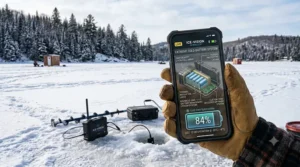
Problem → Solution: Fixing the Most Common Ice Camera Headaches
Screen glare in bright sun: attach a sun visor if the model includes one, or angle the monitor downward and shade it with your body or a portable shanty wall.
Camera won’t connect via WiFi or Bluetooth: most aggregated complaints trace back to outdated firmware; update the app and camera firmware before heading out rather than troubleshooting in the cold.
Battery dies faster than expected: cold weather genuinely reduces lithium battery output; start with a full charge, keep spare batteries insulated in an inner pocket, and consider a model with a larger rated capacity like the FishPRO or Eyoyo 9-inch if this is a recurring issue.
Image too dark or grainy in murky water: switch to infrared lighting mode rather than white LED, since IR tends to perform better in low-visibility water without spooking fish, based on aggregated reviewer feedback across multiple models.
Cable feels stiff or brittle in extreme cold: this is a known limitation of cheaper PVC-jacketed cables; aramid-reinforced cables like the one on the FishPRO hold up notably better below -10°C, based on spec comparisons across the category.
Long-Term Cost & Maintenance
Total cost of ownership extends well past the sticker price. Replacement batteries for cordless monitor systems typically run a modest fraction of the unit’s original price and are worth budgeting for if you fish heavily through a season, since lithium battery capacity degrades gradually with repeated cold-weather charge cycles. App-based cameras carry essentially no recurring cost beyond phone storage and the occasional replacement microSD card.
Cable damage is the most common repair issue across this category, and a cracked or nicked cable jacket can let water reach the internal wiring, leading to camera failure. Budget units with thinner cable jackets are more vulnerable here than the reinforced cables on mid-range and premium models. Factoring in a roughly C$20-40 annual maintenance allowance — for connectors, a spare battery, or an SD card — gives a more honest sense of long-term value than comparing sticker prices alone. On a cost-per-use basis, a C$250 mid-range camera used 15 times in a season works out to under C$17 per outing, often cheaper than a single guided ice-fishing trip.
Safety, Regulations & Compliance Guide
Two separate regulatory threads matter here: wireless equipment compliance, and basic ice safety, which no camera replaces.
On the equipment side, any WiFi or Bluetooth-enabled camera legally sold in Canada needs to meet Innovation, Science and Economic Development Canada’s technical standards for licence-exempt radio equipment, covering devices like WiFi routers, Bluetooth accessories, and similar consumer electronics. Sticking to established brands sold through verified Canadian retail channels is the simplest way to ensure compliance, since unbranded imports sometimes skip this certification entirely.
On ice safety, no camera — wireless or otherwise — tells you whether the ice itself is safe to stand on. Provincial guidance commonly recommends never walking on ice less than 10 centimetres (about 4 inches) thick, and avoiding driving on ice under 30 centimetres (about 12 inches), with thickness checked in multiple spots since it varies across a single body of water. Always check current local conditions before heading out, since guidelines vary by province and change throughout the season; Alberta’s government provides a useful reference at mywildalberta.ca for ice safety fundamentals applicable across most of Canada. Bring basic safety gear regardless of how confident the ice looks: ice picks, a length of rope, a charged phone, and ideally a buddy who knows your planned location and return time.
FAQ
❓ What is the best wireless ice fishing camera for beginners?
❓ Do wireless ice fishing cameras work without cell service?
❓ How deep can a wireless ice fishing camera see?
❓ Can I use my smartphone instead of buying a separate monitor?
❓ Are infrared or white LED lights better for ice fishing cameras?
Conclusion
Choosing a wireless ice fishing camera ultimately comes down to matching the gear to how you actually spend a day on the ice, not chasing the longest spec sheet. If you’re a weekend angler easing into the category, a budget cordless monitor like the Eyoyo EF07 removes the guesswork at minimal cost. If you’re hole-hopping across unfamiliar lakes scouting structure, the adjustable focus on the FishPRO HD1080P MF or the wide-angle view on the CanFish CamX earns its keep. And if you’re out chasing deep-water lake trout multiple times a week through a full Canadian winter, the cold-weather engineering behind the Vexilar FS800IR or Aqua-Vu HD7i-125 is worth the higher price tag.
Whichever you choose, remember that the camera shows you what’s happening below the ice — it doesn’t replace basic ice safety judgment above it. Check thickness, fish with a buddy when you can, and let the technology do what it’s actually good at: turning guesswork into informed decisions on where to drop your next line.
✨ Don’t Miss These Exclusive Deals!
🔍 Take your ice fishing setup to the next level with these carefully selected cameras. Click on any highlighted item to check current pricing and availability on amazon.ca. The right camera turns guesswork into genuinely informed decisions out on the ice!
Recommended for You
- Ice Camera vs Fish Finder: 7 Top Picks for Canada in 2026
- Top 7 Underwater Ice Fishing Cameras in Canada (2026)
- 7 Best Budget Ice Fishing Sonars in Canada (2026 Guide)
Disclaimer: This article contains affiliate links. As an Amazon Associate, I earn from qualifying purchases. If you purchase products through these links, we may earn a small commission at no additional cost to you.
✨ Found this helpful? Share it with your friends! 💬🤗
